Best Streaming and Content Creator Gear Deals for Black Friday 2026
Published 2026-10-16
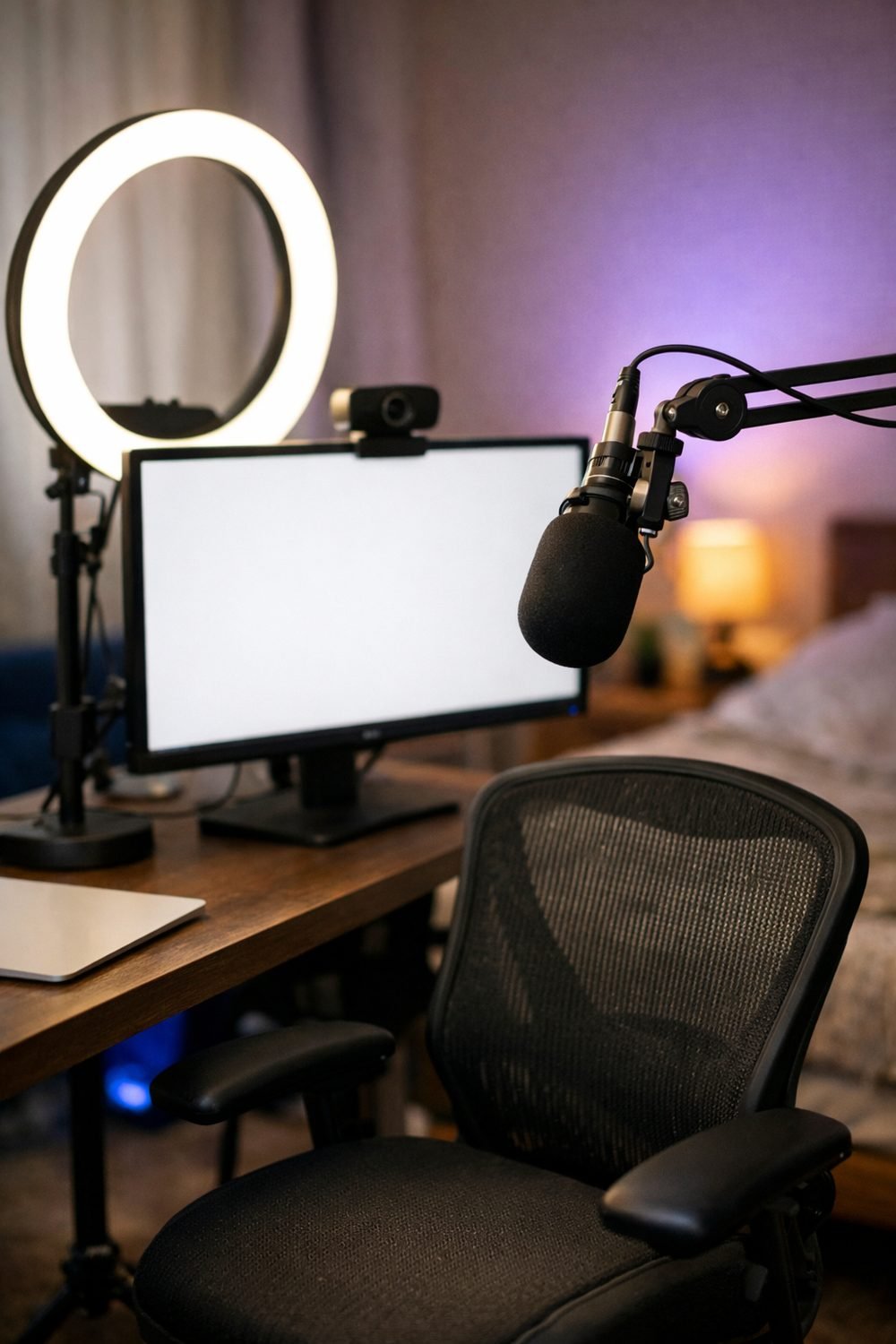
Black Friday lands on November 27 this year, and streaming gear is always one of the busiest corners of the sale, right alongside laptop Black Friday deals. That's understandable. Every year I see a shiny camera at a discount and feel the pull.
Here's the thing, though. The best deal is the one that fixes your actual problem. A cheap price on gear you don't need is still money gone. Nobody can say yet what the offers will be. Nobody can. So treat this list as a plan: what to buy first, what to skip, and how to tell if a "deal" is really a deal.
Short on time? Our top picks: Blue Yeti, Shure MV7, Elgato Key Light and Elgato Wave Mic Arm. See all picks
1. A Decent Microphone
If I could only upgrade one thing, it would be sound. People will sit through slightly fuzzy video. They click away fast when the audio is echoey, quiet or full of keyboard clatter. Many new streamers learn this the hard way when a friend says their early streams sound like talking from inside a bucket.
You'll mostly see two kinds. USB microphones plug straight into your computer and work right away. XLR microphones need an audio interface in between, which means more cost and more cables, but more room to grow later. For most beginners, USB is plenty, and a mic like the Blue Yeti is a common example.
Tip: Before the sale, check whether the mic picks up sound from the front (better for noisy rooms) or all around. Product pages usually show this as a "pickup pattern."
2. Soft, Adjustable Lighting
This one surprises people. A basic webcam with good light often looks better than an expensive camera in a dim room. Light is cheap compared to cameras, and the difference is easy to see.
Start with one soft light facing you, set a little above eye level. That alone removes a lot of harsh shadows. Look for a light where you can change both brightness and warmth, so you can match the other light in your room and avoid that odd orange-and-blue mix.
You can skip the colorful RGB light strips for now. They're fun, but they light the wall, not your face.
Tip: Sit in your usual spot at the time you normally stream and notice where the light comes from. A window behind you is a sign that a front light should be your first purchase.
3. Closed-Back Headphones for Black Friday
Headphones don't get much attention in deal roundups, but they matter, and the earbuds Black Friday crowd often forgets that streamers need to hear their mic. You need to hear what your viewers hear. Without them, you won't notice the hum from your fan or the game audio drowning out your voice.
Closed-back headphones are the usual pick because they keep sound from leaking into your mic, while earbuds can work for casual streams. Comfort matters more than you'd think. A pair that pinches after an hour will end up on your desk, not your head.
Tip: If you already own a wired pair that's comfortable, use those. Wireless can add a small delay, which is annoying when you're checking your audio.
Quick side note: if you're also doing holiday shopping for the guys in your life, our free Gift Ideas for Him Checklist (10 ideas sorted by interest) might save you some time. You can grab it from the sign-up box on this page.
4. A Webcam (or a Smarter Camera Plan)
Most streamers start with a webcam, and that's fine. When comparing them, look at three things: resolution, frame rate and how they handle low light. Honestly, low-light performance is where cheap webcams fall apart, and it's the spec people check least.
Later on, you might move to a mirrorless camera or even use your phone (smartphone Black Friday sales can help) with the right app or adapter. That can look great. But it adds setup steps, and it's a lot of money to spend before you know you'll keep streaming.
Tip: Search reviews for "low light" plus the model name. Sample footage in a normal room tells you far more than a spec sheet.
5. Mic Arms and Stands
These feel boring until you have one. A mic arm, such as the Elgato Wave Mic Arm, lets you put the microphone close to your mouth without it blocking your face or sitting on a desk that shakes every time you type.
A small stand or clamp for your camera or light does the same job. Good placement makes cheap gear perform better, which is my favorite kind of upgrade.
Tip: Measure your desk edge before buying a clamp-style arm. Thick desks and ones with a lip underneath can be a problem.
6. A Capture Card (Only If You Need One)
If you stream from a console or use a second computer, a capture card like the Elgato Game Capture line brings that video into your streaming setup. If you only play on the same PC you stream from, you probably don't need one at all.
This is a spot where I see people buy "just in case." Don't. Check whether your console or setup actually requires it first.
Tip: Make sure the card supports the resolution and frame rate your console outputs, and check your computer has a free port that matches.
7. A Green Screen for Your Black Friday Streaming Setup
A green screen lets you swap your background for anything you want. It's handy if your room is messy or you share the space. Collapsible ones fold away, which is nice in a small room.
That said, a green screen needs even lighting to work well. Buy your light first. Otherwise you'll get flickery edges around your hair and shoulders.
Tip: Try your software's built-in background blur before buying one. You may find it's good enough.
8. Things That Can Wait
Some gear is fun but rarely the first fix. Fancy lighting effects, extra monitors and pricey cameras all fall here. A common mistake is buying a second monitor before a decent mic, since audio quality matters more to viewers than screen space. This setup lets your chat see your notes nicely. They just couldn't hear me well.
Wait on these until you know what your content really needs. Black Friday comes back every year.
9. How to Judge a Deal
Before you click "buy," run through this:
- Write down regular prices a few weeks before the sale, so you know what a real drop looks like.
- Look hard at bundles. A kit isn't a bargain if half the pieces will sit in a drawer.
- Check the return window, especially for anything you haven't tried before.
- Read reviews that mention reliability over time and software or driver support.
- Confirm compatibility with your computer, your ports and your streaming software, especially if you're shopping lightweight laptop deals.
That last one catches people more than any other. A great microphone with a connector your laptop doesn't have just turns into an extra trip to buy an adapter, which is worth remembering with any gaming laptop deals.
10. Test Your Setup Before the Sale Ends
Record a one-minute clip with what you already own. Then walk away, make a coffee, and watch it back with fresh eyes. Is the sound thin? Is the picture dark? Is the background distracting?
Whatever bothers you most is where your money should go first. This little test has stopped me from buying a camera more than once, when a light was the real problem all along. Add one item at a time and see what changes.
Some links on this site may be affiliate links, which means we may earn a commission at no extra cost to you.
Gear Worth a Look
Here are a few well-known options that fit the plan above. Treat them as starting points, then compare against your own setup and needs.
Blue Yeti
A familiar USB microphone that suits beginners who want to plug in and start talking. Check the pickup pattern options and make sure it fits your desk setup, since it can be bulky.
Shure MV7
A good fit for streamers who want a mic that can grow with them, since it is offered with both USB and XLR connections. Check which cables are included and whether your room is noisy enough to need a close-talking setup.
Elgato Key Light
A soft, adjustable desk light that suits streamers who want a simple front light. Check how it mounts and whether your desk edge works with the clamp.
Elgato Wave Mic Arm
Suits anyone who wants the mic close to their mouth without crowding the desk. Check that your microphone's weight and mount thread are compatible before buying.
Sony WH-1000XM5
A comfortable pair for people who want headphones they can wear for long sessions. These are wireless, so check for audio delay and whether a wired connection is available.
Logitech C920
A long-running webcam choice for streamers who want a simple upgrade from a laptop camera. Check low-light sample footage, since that is where webcams often differ most.
Elgato Game Capture
Suits console streamers or anyone using a second computer. Check that the model supports your console's output and that your computer has the right port.
OBS Studio
Free streaming software that suits beginners and advanced users alike. Check that your capture devices and mic work with it before you start.
Check current plans and prices on each brand's own site before you buy.
FAQ
What should I buy first if my budget is small?
Start with a microphone, then a simple light. Those two fix the most common complaints viewers have. Your current webcam is probably fine for now.
Is a USB or XLR microphone better for beginners?
USB is easier because it plugs straight into your computer. XLR gives you more options later but needs an audio interface. If you're unsure, check the product page for what's included and what else you'd need to buy.
Are streaming bundles worth it on Black Friday?
Sometimes, if you need every piece in the box. Add up the separate prices and cross out anything you wouldn't use. If the total still beats buying separately, it's a fair deal.
Can I use my phone instead of a webcam, or should I check phone deals?
Many people do, and phone cameras can look very good, so the best phone deals may double as camera upgrades. You'll usually need an app and a way to mount the phone. Check that the app works with your computer and streaming software before you rely on it.
Your Next Step
Record that one-minute test clip this week and write down the one thing that bugs you most. That's your Black Friday shopping list, and it's probably shorter than you think. While you're planning, grab the free Gift Ideas for Him Checklist from the sign-up box on this page. It's handy if you're buying for someone else this season too. Then come back to this list on November 27, check your saved prices, and buy only what fixes your problem.
Some links on this site may earn us a commission. Read our disclosure.