Best Tech Gifts Under $50 for Christmas 2026
Published 2026-10-16
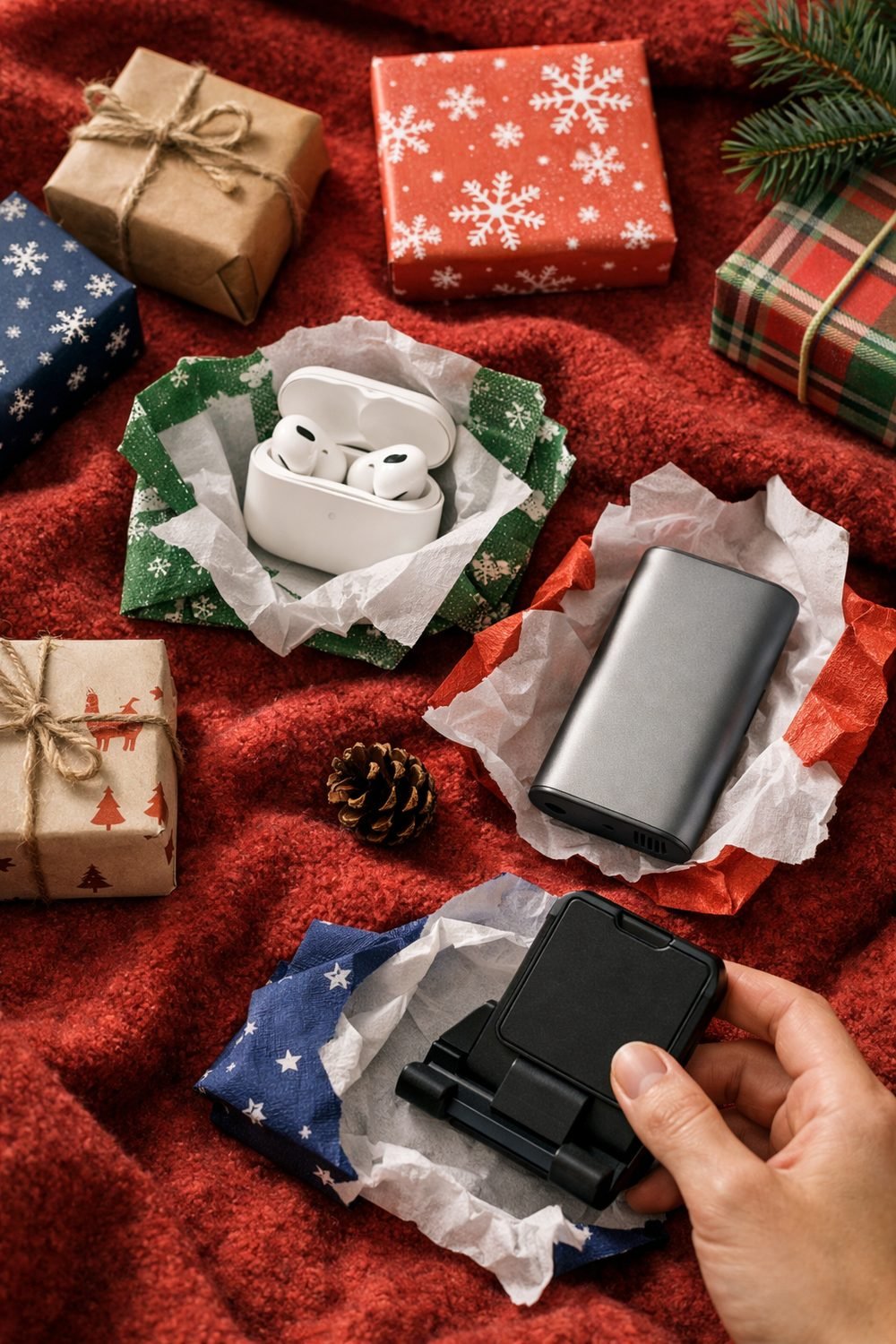
You might assume the best tech gifts under $50 for Christmas 2026 can't exist, because a good tech gift seems like it has to be expensive. Many people find that a cheap phone stand gets more daily use than a fancy gadget that cost far more. That changed how I shop.
You can find great tech gifts without spending a lot. Pick something the person will actually use, and make sure it works with the devices they already own. Below are my favorite ideas under $50, grouped by the kind of person you're shopping for. Prices vary by seller and change over time, so check the seller's page before you buy.
Short on time? Our top picks: Anker power banks, JLab earbuds, TP-Link Kasa smart plugs and JBL Bluetooth speakers. See all picks

1. Best budget wireless earbuds for the commuter
Earbuds are an easy win for anyone who rides a bus, train or bike to work. Plenty of decent budget earbuds sit at the lower end of the price range. You won't get top-tier sound, but for podcasts and calls they're usually fine.
Look closely at battery life and comfort. A pair that hurts after twenty minutes will end up in a drawer. Also check that they work well with the person's phone, since some features only work with certain brands.
Tip: Read reviews from people who mention wearing them for an hour or more. Those are the ones that tell you about comfort.
2. A compact power bank
Keeping one in a jacket pocket from October to March means it is on hand whenever the cold hits. A small power bank, such as one from Anker, is the kind of gift nobody asks for but almost everyone uses.
Go for something small enough to carry every day. A huge brick sounds useful, but it tends to stay at home. Check that it has the right port for their phone, like USB-C, and that it comes from a brand with clear safety information.
Tip: If they fly a lot, check the airline rules for power banks before you pick a big one.
3. A cable organizer or charger pouch
This one is a little boring, I'll admit. But if you've ever dug through a bag looking for a charger, you know why it works.
A small zip pouch with elastic loops keeps cables, earbuds and a power bank in one spot. It also pairs nicely with the two gifts above if you want to build a small commuter bundle without going over budget.
Tip: Pick a pouch with a bit of padding. It protects earbuds and small chargers from getting crushed in a backpack.
4. A smart plug for the busy household
Smart plugs, like those from TP-Link Kasa, let you switch lamps and small appliances on and off from a phone or by voice. One great use is a living room lamp that turns on before you get home in winter.
Here's the catch. A smart plug only makes sense if the person already uses a compatible voice assistant or app. If they don't, it can turn into a setup headache, and that's not a fun Christmas morning.
Tip: Ask casually which smart speaker or assistant they use, if any. Then check the plug's box or listing to make sure it supports it.
5. A small Bluetooth speaker for the kitchen
Music while cooking just makes dinner feel easier. A small speaker, such as a compact JBL model, that sits by the stove or on a windowsill gets used almost daily in a lot of homes.
For a kitchen, some splash resistance is nice to have. Size matters too. Counter space is usually tight, so a smaller speaker often beats a louder one that takes up room.
Tip: Skip speakers with lots of flashing lights if it's going in a shared space. They look fun in photos and get annoying fast.
If you're also shopping for a dad, brother or partner, our free Gift Ideas for Him Checklist has 10 ideas sorted by interest, and you can grab it from the sign-up box on this page.
6. A phone or tablet stand
This is the gift I mentioned in the intro. It works well for following recipes, watching videos while eating lunch, and taking video calls with family. It cost very little.
Look for one that adjusts in height and angle. A sturdy base matters more than looks. Lightweight stands can tip over when you tap the screen with floury fingers.
Tip: Check that it fits their phone with a case on. A lot of people forget that part.
7. A laptop stand for the remote worker or student on a budget
Working hunched over a laptop on a kitchen table gets old fast. A laptop stand lifts the screen closer to eye level, which a lot of people find more comfortable over long days.
Foldable stands are great for students who carry the best budget laptop between home, the library and a café. Fixed stands tend to feel steadier on a home desk. Keep in mind that raising the laptop usually means they'll want a separate keyboard, so it helps to know if they already have one.
Tip: Check the stand's listed size range so it fits their laptop.
8. A clip-on light or webcam cover for video calls
Good lighting on video calls makes a real difference. A small clip-on light that attaches to a laptop screen is cheap and easy to use. It's especially handy for someone working in a dim room or late in the day.
Webcam covers are even cheaper and make a nice stocking stuffer. They slide open and shut, so the camera is covered when it's not in use.
Tip: Some laptops have very thin screens, and certain covers can cause problems when the lid closes. Check the laptop maker's guidance or the cover's listing first.
9. A USB hub for laptops with few ports
Many newer laptops, even a budget laptop for students, only have a couple of ports, often USB-C. A small hub adds extra slots for things like a mouse, a USB stick or a monitor cable.
This is where you really need to know what they own. Look at which ports their laptop has and what they plug in most. A hub with ports they'll never use isn't much of a gift.
Tip: If you can't ask without spoiling the surprise, a quick peek at their laptop sides next time you visit works fine.
10. Desk gear for the gamer
Gamers can be picky about big purchases like a budget gaming laptop, so I stick to accessories. A large mouse pad, a headset stand or a set of cable clips all help keep a desk tidy and rarely miss.
Controller grips are another option if they play on a console. Just make sure you know which controller they use, because grips are made for specific models.
Tip: Honestly, I'd skip trying to buy a gaming mouse or keyboard as a surprise. People have strong opinions on those, and it's easy to get wrong.
Quick compatibility checks before you buy a budget phone or gadget
Most returns I've dealt with came down to one simple thing I didn't check. Run through these questions first:
- Which phone, such as a budget Android phone, or laptop does the person use?
- Which ports do they have, such as USB-C?
- Do they already own something similar?
- How much space do they have for it?
Staying on budget
Set a limit per person and keep a short list on your phone. Write down the name, the idea, and the price as you go. It stops those "just one more thing" add-ons from creeping in.
Compare the same type of item at two or three sellers. And always glance at the return window, in case the gift isn't quite right.
What I'd skip
Very cheap chargers and batteries with no clear brand or safety information. It's not worth the risk. Look for safety markings on the listing, and read reviews that mention heat or reliability. If several people say something got hot, move on.
It's also smart to skip novelty gadgets that do one silly thing. They get a laugh on Christmas morning and then sit unused.
Wrapping and shipping in time
If you're mailing a gift, write down the last safe order date for the delivery option you pick. Keep the receipt or order confirmation somewhere easy to find. A gift receipt tucked in the box is a kind touch, too.
My quick shortlist method
Pick the person and jot down three things they're into. Match one gift type from this list to each interest. Cross out anything they already have, then go with the one they'd use most often. It takes about five minutes per person.
Our top picks
Here are some well-known brands that often have options in this price range. Match each one to the person you're shopping for and check the details before you buy.
Anker power banks
Anker is a familiar name for small power banks and chargers, and it suits anyone who wants a daily carry battery. Check the port type and the size before you pick a model.
JLab earbuds
JLab makes budget-friendly wireless earbuds that suit commuters and casual listeners. Check the fit and battery life in the listing, since comfort differs from person to person.
TP-Link Kasa smart plugs
Kasa smart plugs suit a household that already uses a phone app or voice assistant for lamps and small appliances. Check that the plug works with the assistant the person actually uses.
JBL Bluetooth speakers
JBL offers compact speakers that suit kitchens, desks and bedrooms. Check the size and any water resistance rating if it will sit near the stove or sink.
Lamicall phone and tablet stands
Lamicall is known for adjustable stands that suit recipe watchers, video callers and desk workers. Check that it holds the person's device, especially with a case on.
Nulaxy laptop stands
Nulaxy makes laptop stands that suit remote workers and students who want the screen higher. Check the listed laptop size range and whether the person has a separate keyboard.
Logitech mouse pads and desk gear
Logitech has a wide range of desk accessories that suit gamers and office workers. Check which items fit the person's setup before you choose.
Check current plans and prices on each brand's own site before you buy.
FAQ
What's the safest budget tech gift if I don't know their devices?
A cable pouch, a phone stand or a desk accessory like a mouse pad. These work with almost anything. Earbuds and hubs need more checking.
Are cheap power banks safe?
It depends on the product. Choose one with clear brand and safety information, and read reviews for any mention of heat. If you're unsure, check the seller's page or ask someone who knows electronics.
Should I include a gift receipt?
Yes, I always do with tech. Even a well-chosen gift might not fit their setup, and a receipt makes swapping it easy.
Can I bundle small items to make a bigger gift?
Definitely. A cable pouch with a small power bank, or a phone stand with a kitchen speaker, feels thoughtful and can still stay under $50.
Ready to start your list? Grab the free Gift Ideas for Him Checklist from the sign-up box on this page, then pick one person and try the five-minute shortlist method tonight. You'll be surprised how fast the ideas come together.
Some links on this site may earn us a commission. Read our disclosure.